My online Workspace
Welcome to your QUINT-online workspace. This is where you’ll manage your projects and data for the QUINT-online workflow.
Getting Started with Your online Workspace
Upon login the first time, your personal bucket space for storage will be created and each application will ask for consent for access. Acknowledge all these messages. The first time you create a project, it will require some time to appear in the project list. Wait a few seconds.
Your online workspace provides a centralised location to:
Organise your data into projects.
Upload brain section image data.
Track analysis progress.
Access your results and outputs.
Your workspace is comprised of your user space, tabs pointing to applications which allow you to carry out the QUINT workflow, in order, and access to project management and documentation.

Workspace Features
Your online workspace includes several key features to enhance your research workflow:
Project Management: Create and manage multiple research projects, each supporting multiple series.
Data Upload: Easily upload and organise your brain image data and access it from any device with your EBRAINS account.
Analysis Tracking: Monitor the progress of your analyses.
Result Access: Quickly access your results and outputs, make use of the visualisation tools integrated into the workflow.
Project Management
Create and organise multiple research projects within your workspace.
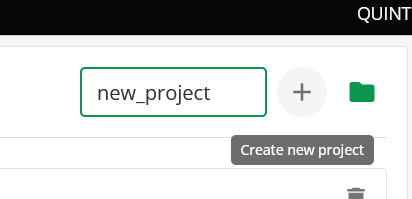
Each project can contain:
Multiple brain image series
Data Upload
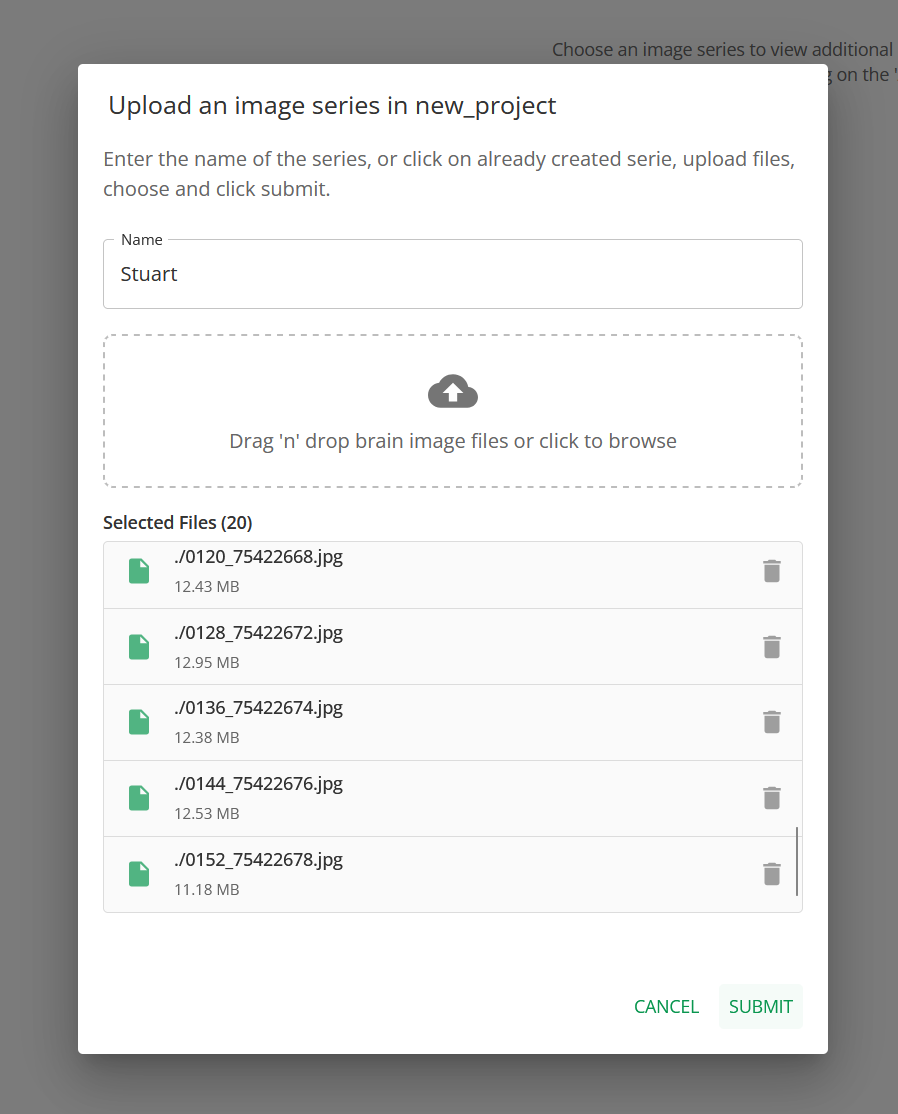
Once a project is created, you can upload your brain image series to the project, via the ADD/EDIT SERIES button.
Next Steps
Once you’re familiar with your workspace, proceed to:
Preparing images for upload - Check system requirements
Data Upload - Upload your brain image data
Need Help?
If you need assistance with your workspace, check out:
Contact us - Get in touch with support
How to access - Read about QUINT methodology